Record by clicking
Click through your app in a real browser. Then save the recording or reject it. To save, type where it belongs, and the AI rewrites it into page objects.
Test management · Test runs · Automation
Write test cases, run regression and UAT rounds, and share the results. When a case is ready, let AI turn it into a Playwright test that runs against your real app. It checks every locator and keeps going until the test passes.
Version 0.1.0 · Windows 10 and 11
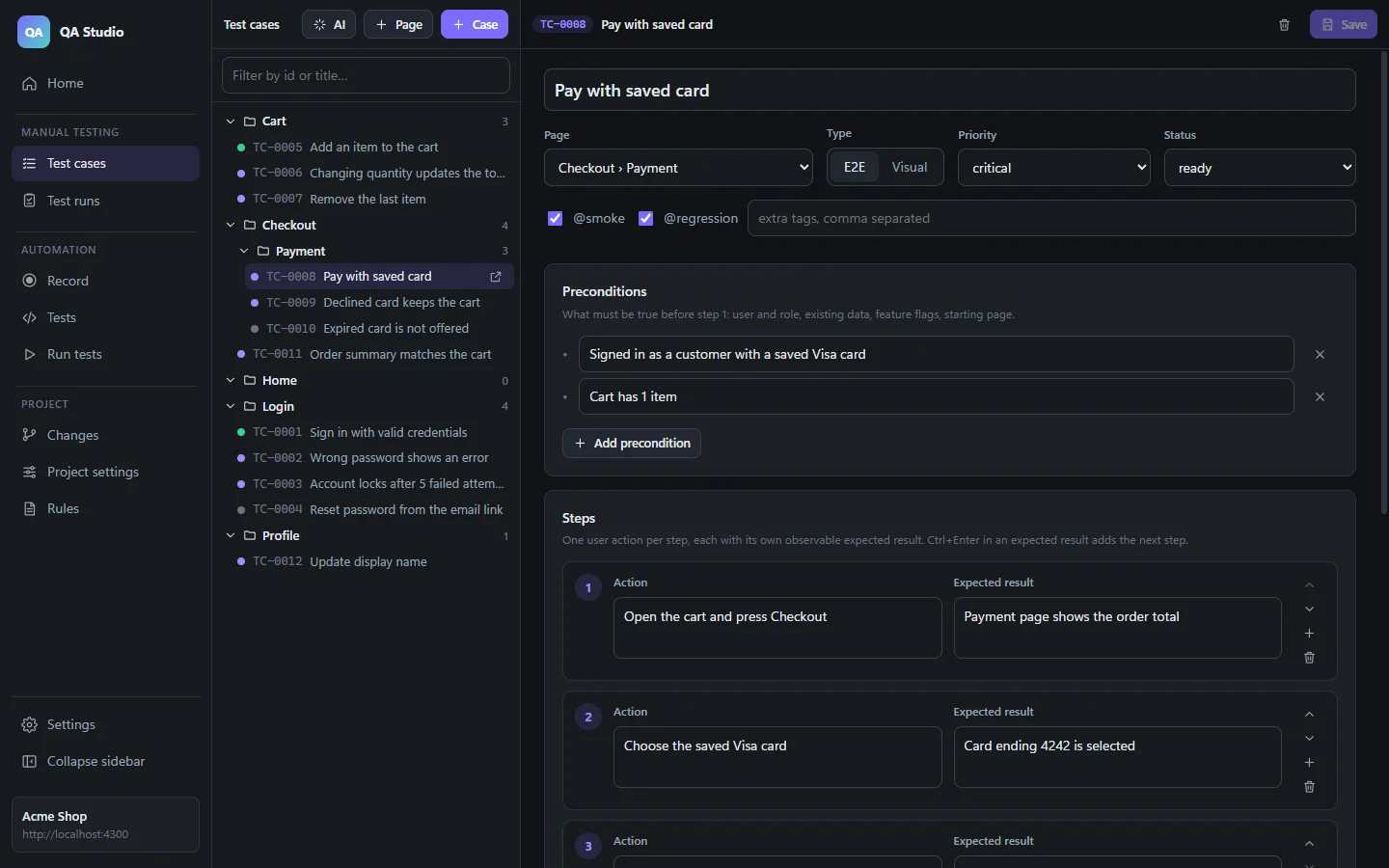
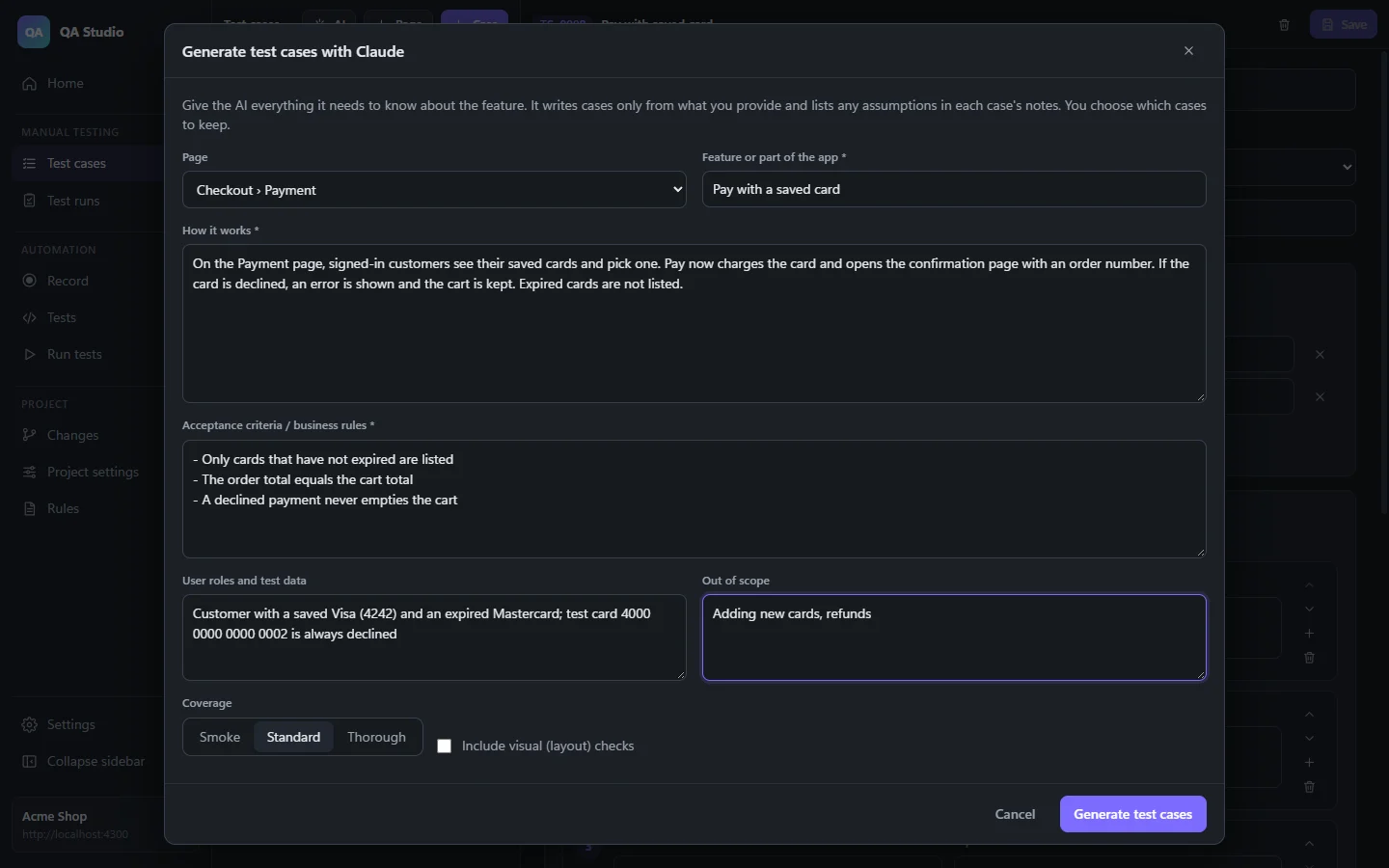
Write test cases page by page, or describe a feature and let AI draft them for you.
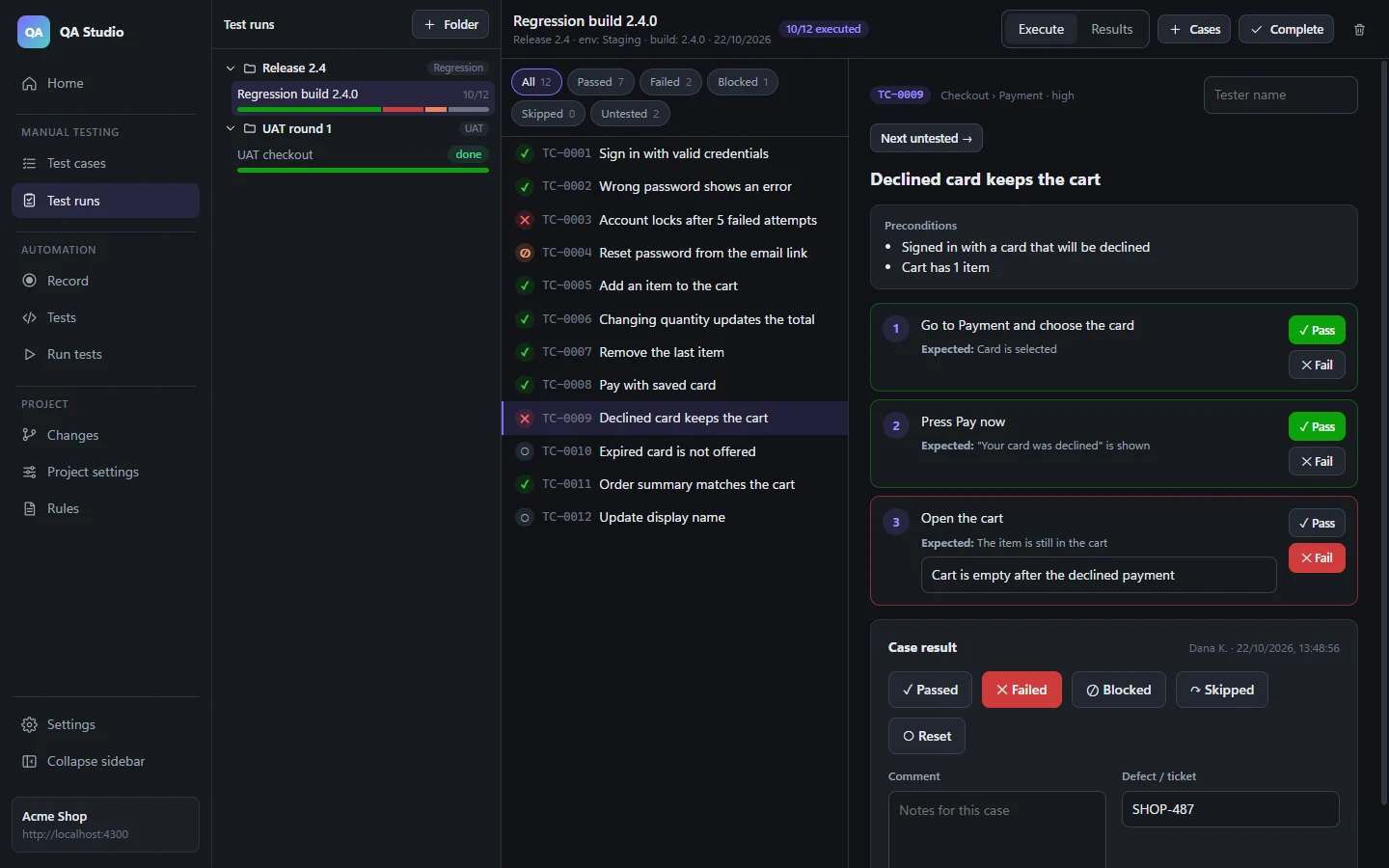
Collect cases into a regression or UAT run, and go through them step by step.
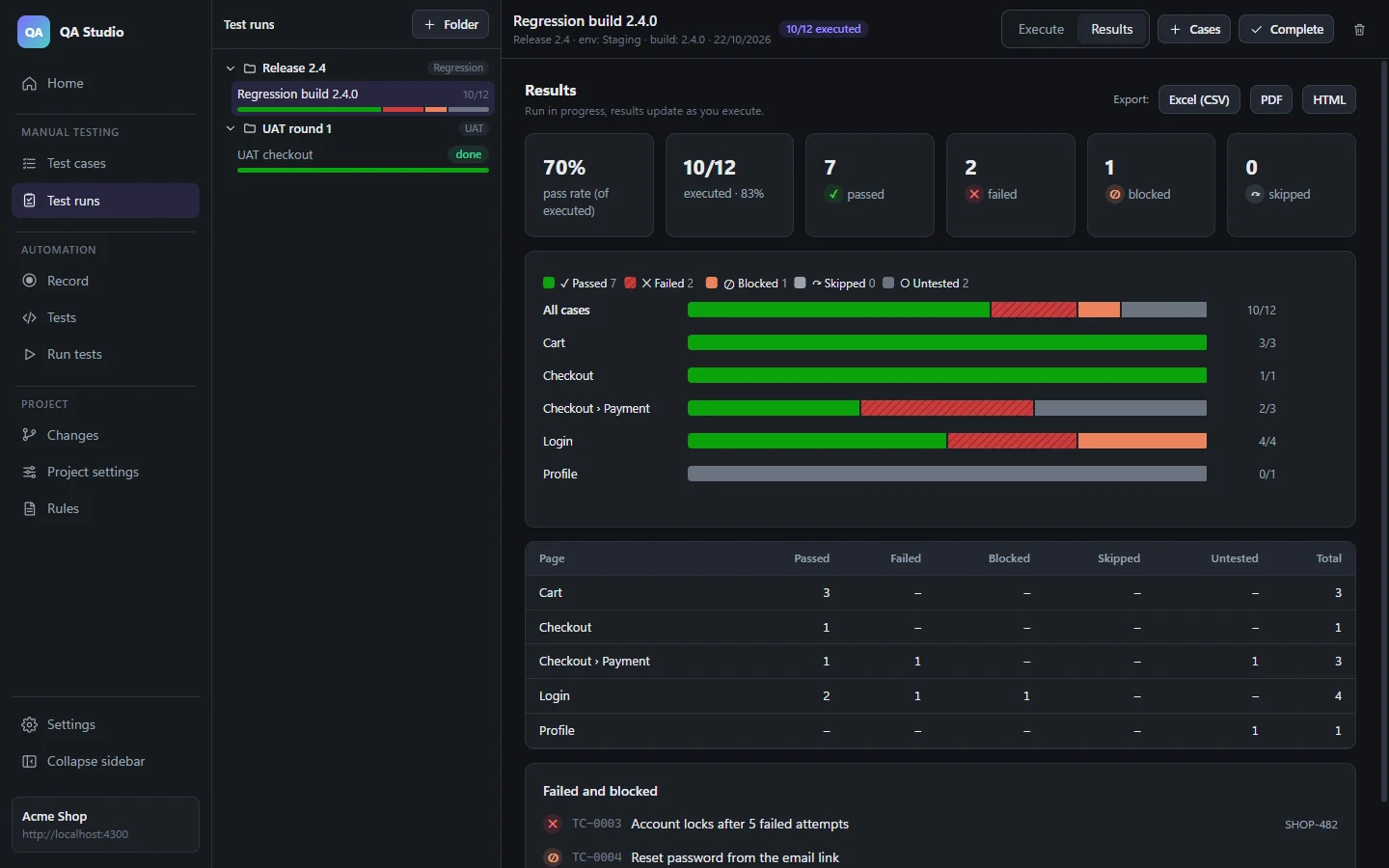
Check the pass rate and the chart for each page, then export the results to Excel, PDF or HTML.
Turn stable cases into Playwright tests with one click, and run them on any environment.
Test cases
Every case has preconditions and numbered steps, and each step has its own expected result. That makes it clear where something failed, not just that it did.
Test runs
Create folders for each release, regression cycle or UAT round. Inside them, create runs with exactly the cases you need, filtered by page, priority, smoke or regression.
Automation
Press Create automated test on any case. The preconditions become setup, and every step becomes a Playwright test.step with its own assertion. The test is linked back to its case.
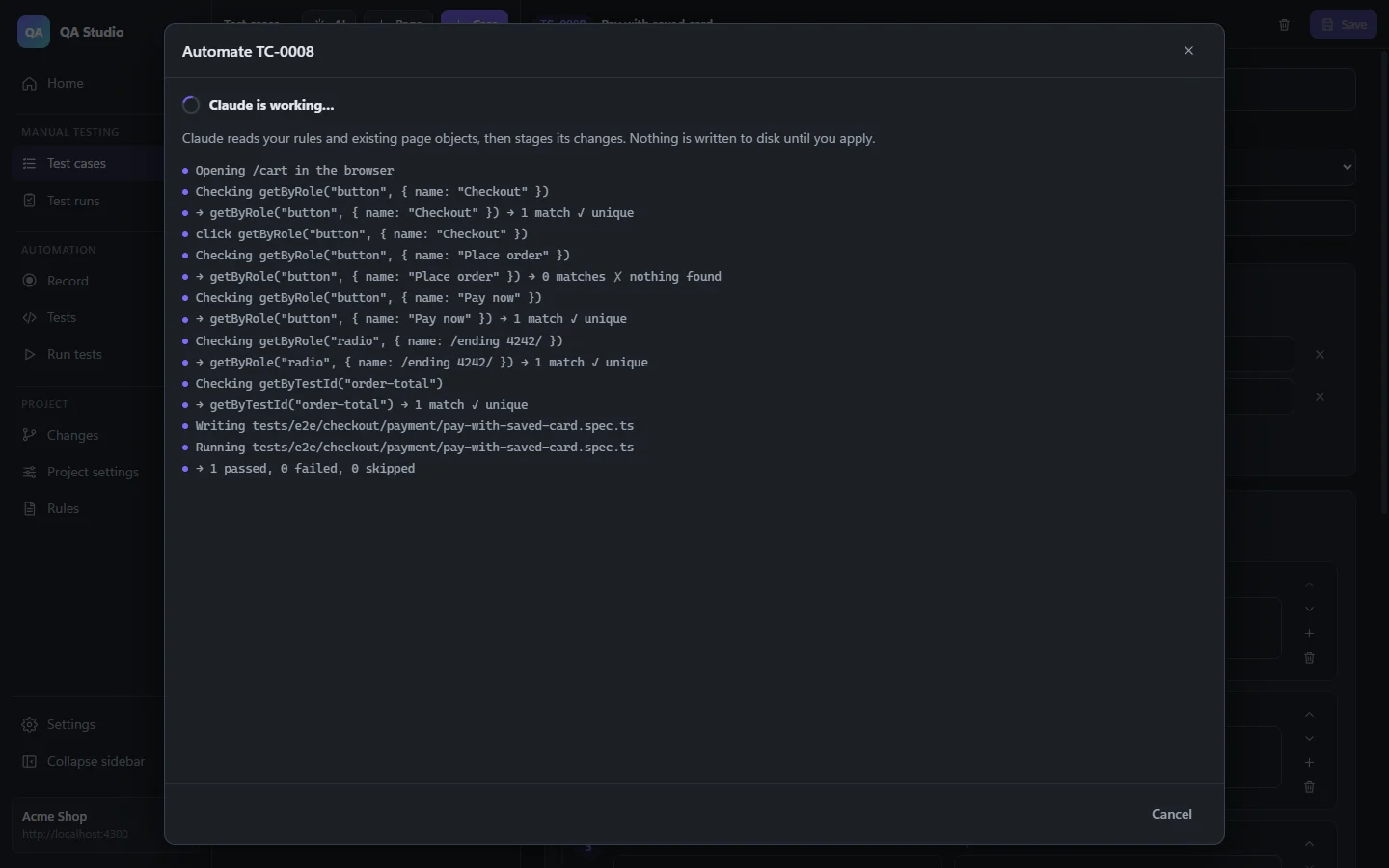
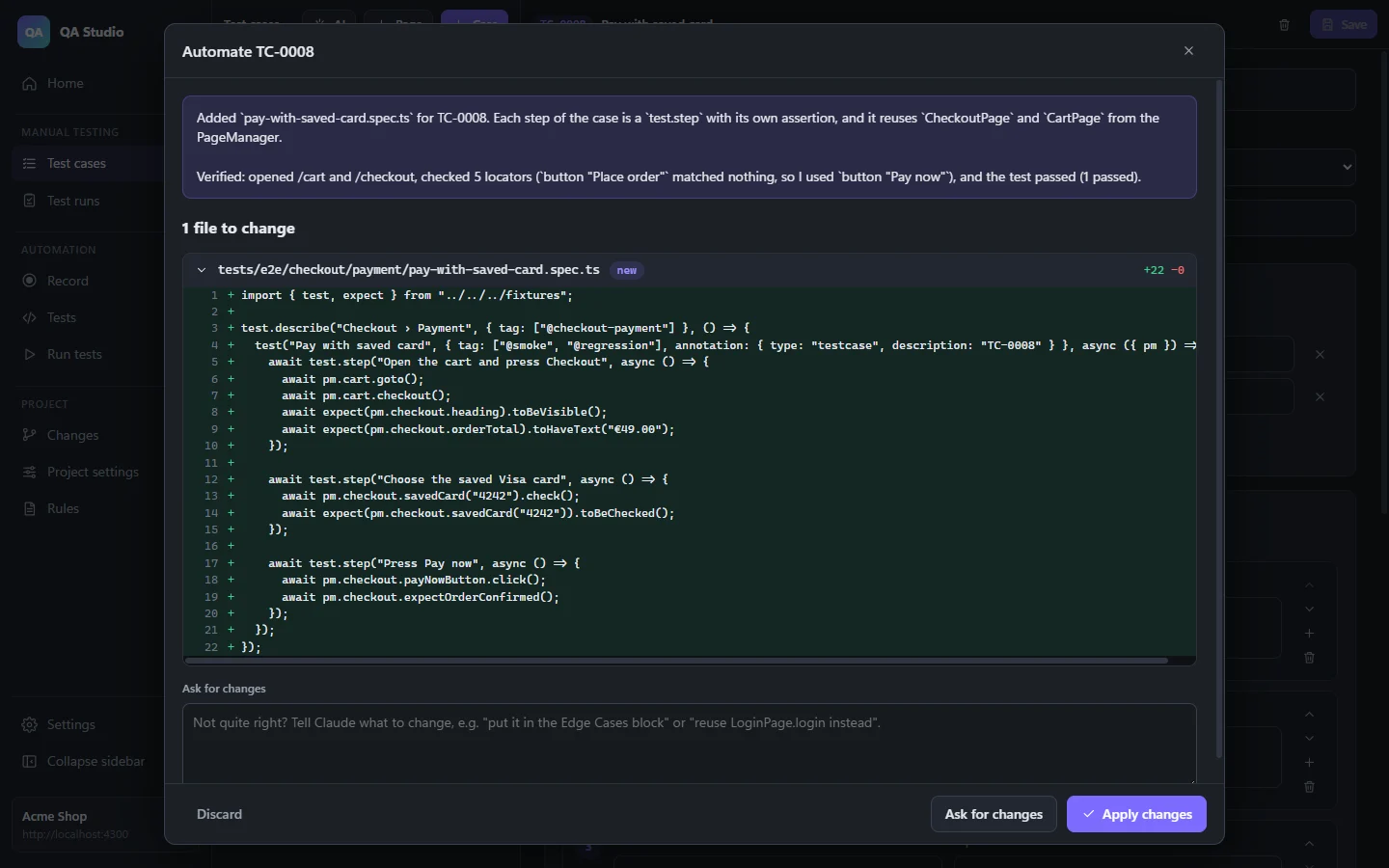
Everything you need to build and maintain your automated suite, without leaving the app.
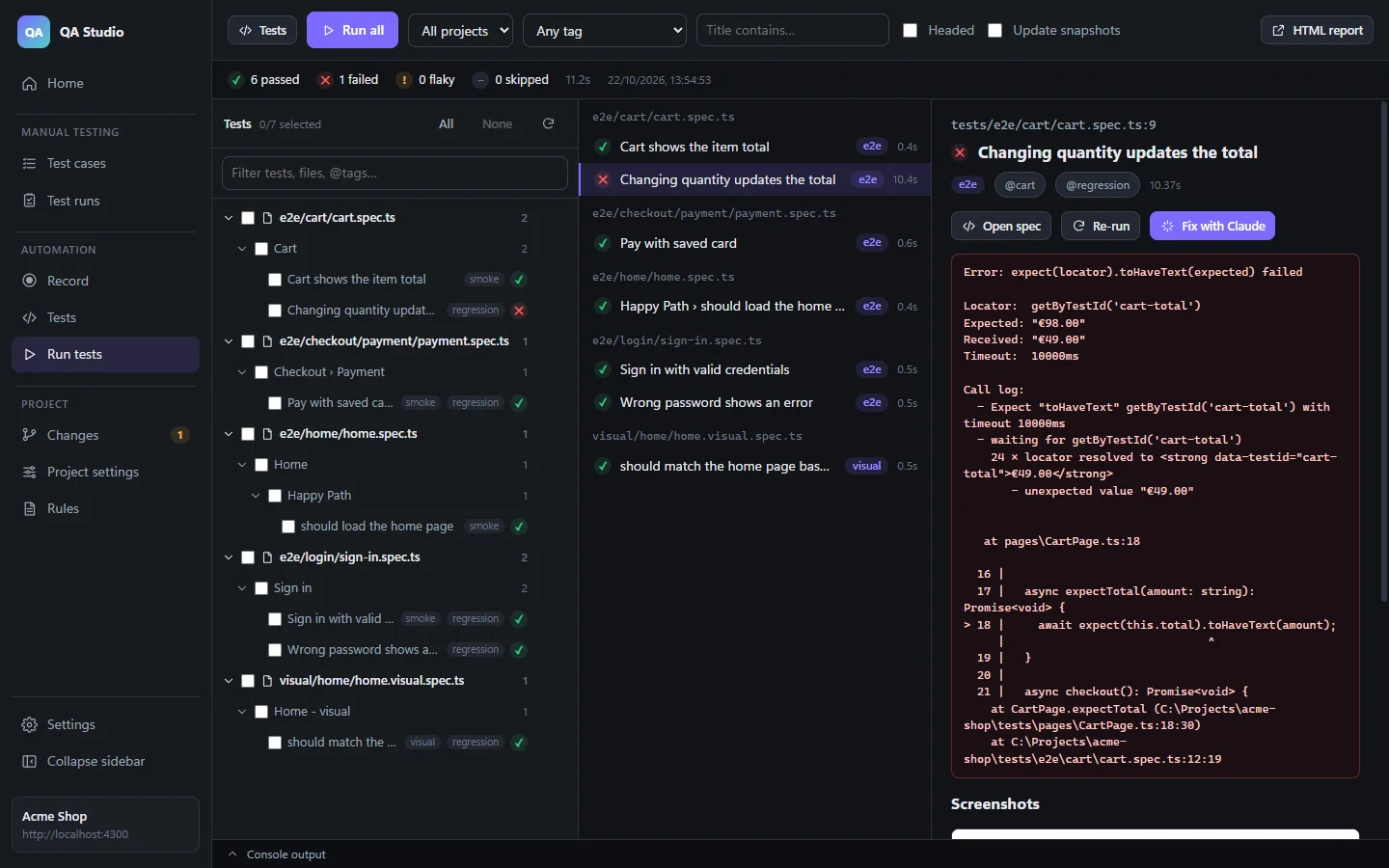
Pick one test, a section, a file or everything. Failures show the error, screenshots, trace and video, with a one-click AI fix.
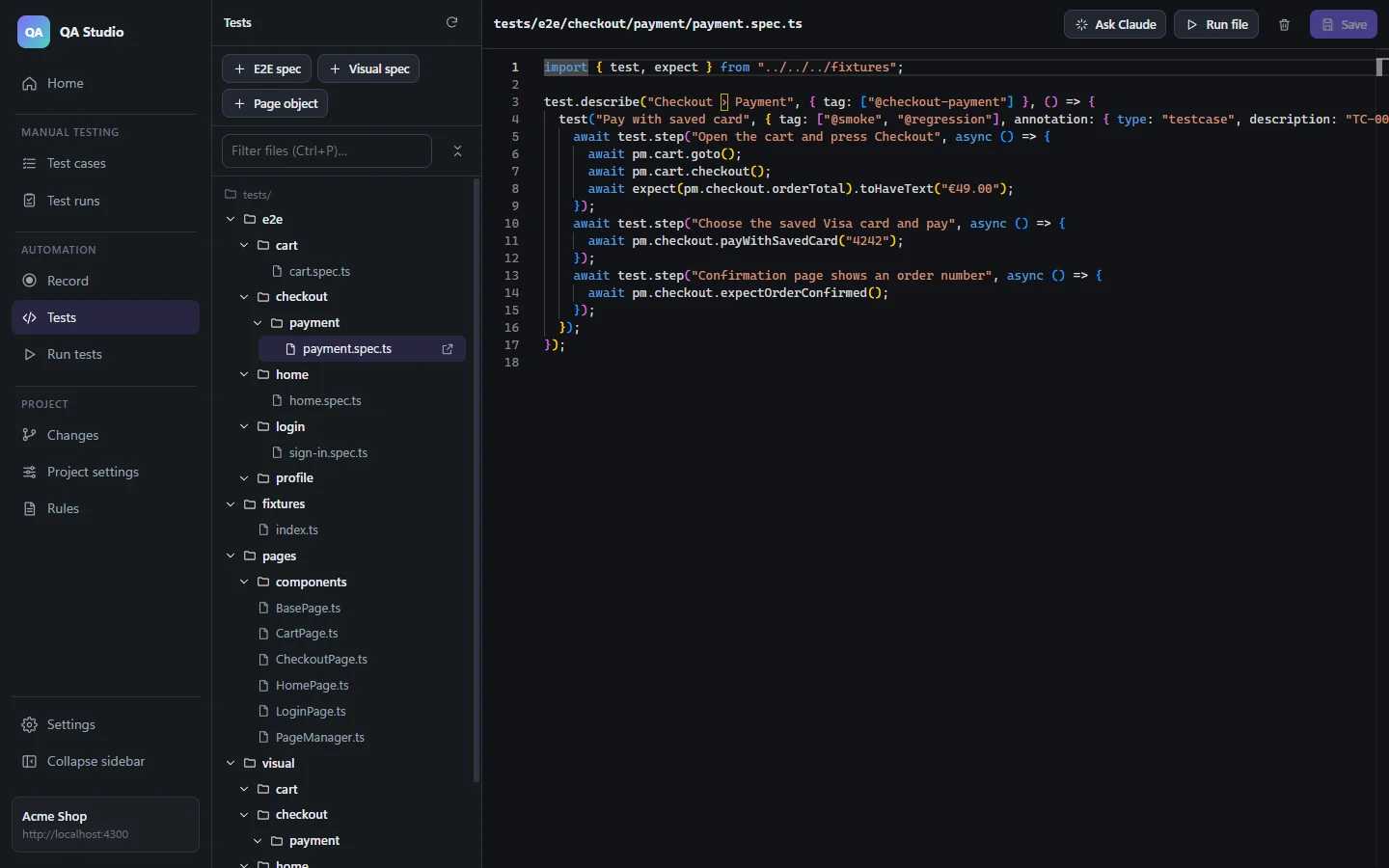
Write tests by hand with a searchable file tree. Move files and folders by dragging them, and imports update for you.
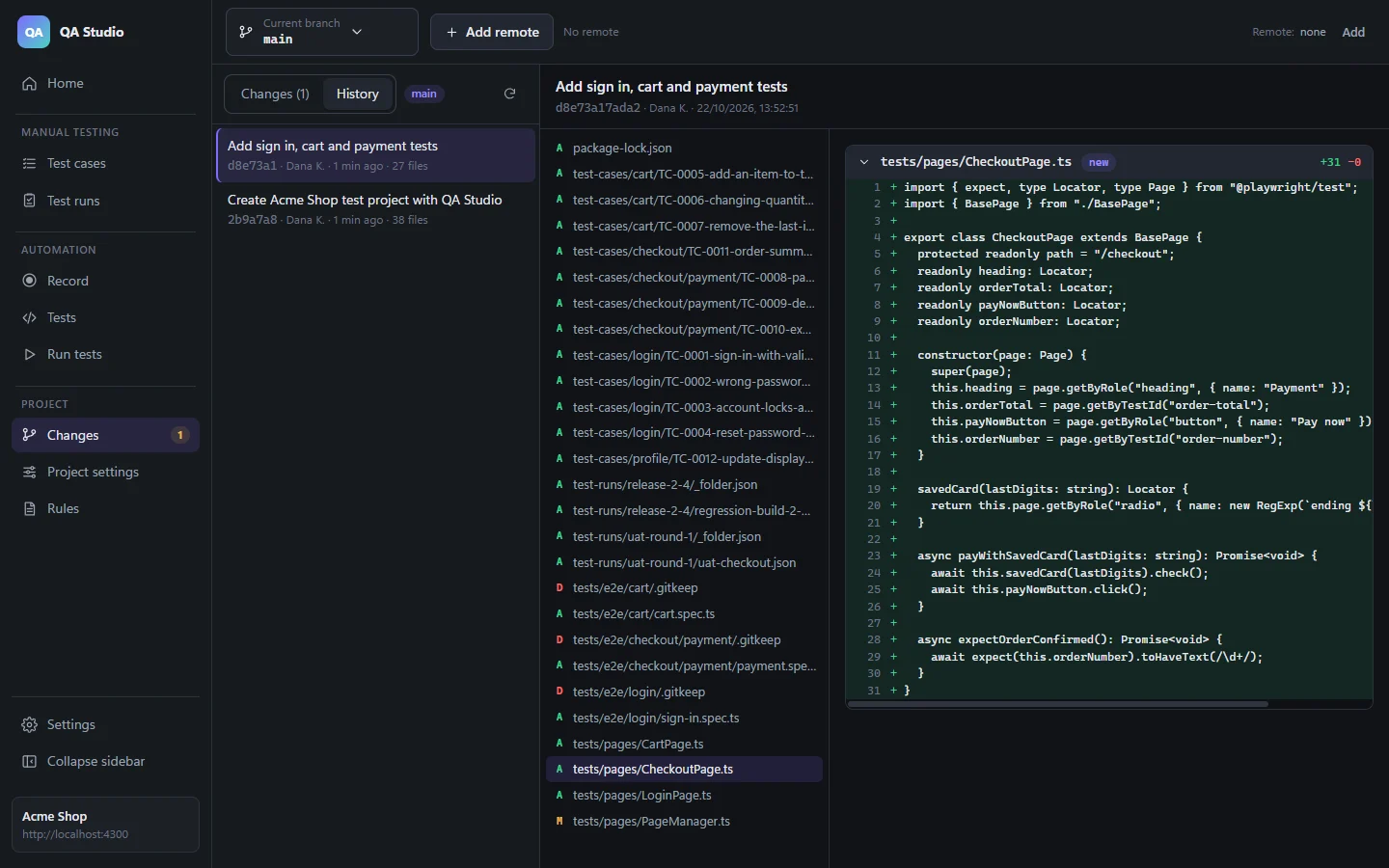
Commit, branch, fetch, pull and push much like in GitHub Desktop, and open pull requests on GitHub or Azure DevOps.
Click through your app in a real browser. Then save the recording or reject it. To save, type where it belongs, and the AI rewrites it into page objects.
Switch between dev, staging, UAT and production, and the base URL follows. Production asks before anything runs there.
Screenshot comparisons sit next to your E2E tests. See the expected, actual and diff images side by side.
Choose which browsers run which suites, tags and pages. Edit retries, timeouts and traces in a form, or edit the config file directly.
Write the conventions the AI must follow, or bring the rule files you already have, such as .cursor/rules.
Edit .env in the app. Values are masked before anything is sent to the AI, and your API key is encrypted on your PC.
No. Test cases, test runs and reports work on their own, without any coding and without an AI key. Add automation whenever your team is ready.
Windows 10 or 11, and Node.js 20 or newer, which QA Studio uses to set up and run Playwright in your projects. Git is recommended. The AI features need an Anthropic (Claude) or OpenAI API key.
No. QA Studio uses the providers' APIs, which are billed separately from chat subscriptions. Create an API key in the Anthropic Console or on the OpenAI platform, and add it in Settings.
Yes. Open any Playwright project. QA Studio adds one small settings file and leaves your config, folders and Git history as they are.
In your project folder, on your computer. Test cases are Markdown files, runs are JSON files, and tests are regular Playwright code. All of it can be versioned with Git and opened in VS Code, Cursor or any other editor. Nothing is uploaded except what you send to the AI provider you chose.
Yes, for now. The installer isn't code-signed yet, so Windows SmartScreen may show "Windows protected your PC". Choose More info, then Run anyway.